

New. Embedded checkout runs the same Laces checkout as
hosted checkout, in a modal instead of a
redirect. Changes to
laces.js are listed in the changelog.LacesCheckout.open() from a button, and Laces
checkout opens in an overlay on top of your page. When the buyer finishes, the
modal tells your page, and your server verifies the result.
You need: an API key with Start hosted checkout
(checkout_sessions:write), and your page’s exact origin in Allowed
domains. Return URL domains are not needed for embedded checkout.
Every key, token and id on this site is a made-up example value. Your real
keys are issued to you in the Laces app, under Settings → Developers.
The flow
1. Add the script
https://laces.run/v1/laces.js. Don’t self-host it or copy it
into your bundle: the script works out which Laces site to talk to from its
own src URL, and only accepts messages from that origin. A self-hosted copy
reports misconfigured or opens a frame that never loads. The script has no
dependencies, is under 6 KB, and defines one global, LacesCheckout.
2. Open the checkout
laces.js creates the session for you: a
POST https://connect.laces.run/v1/checkout-sessions with
ui_mode: "embedded". The API takes your page’s Origin as the session’s
embed origin, so that origin must be in Allowed domains, or the call fails
with 403 origin_not_allowed.
The overlay appears immediately with a “Loading secure checkout…” spinner while
the session is created and the checkout loads. Only one checkout can be open
at a time; calling open() while one is open does nothing.
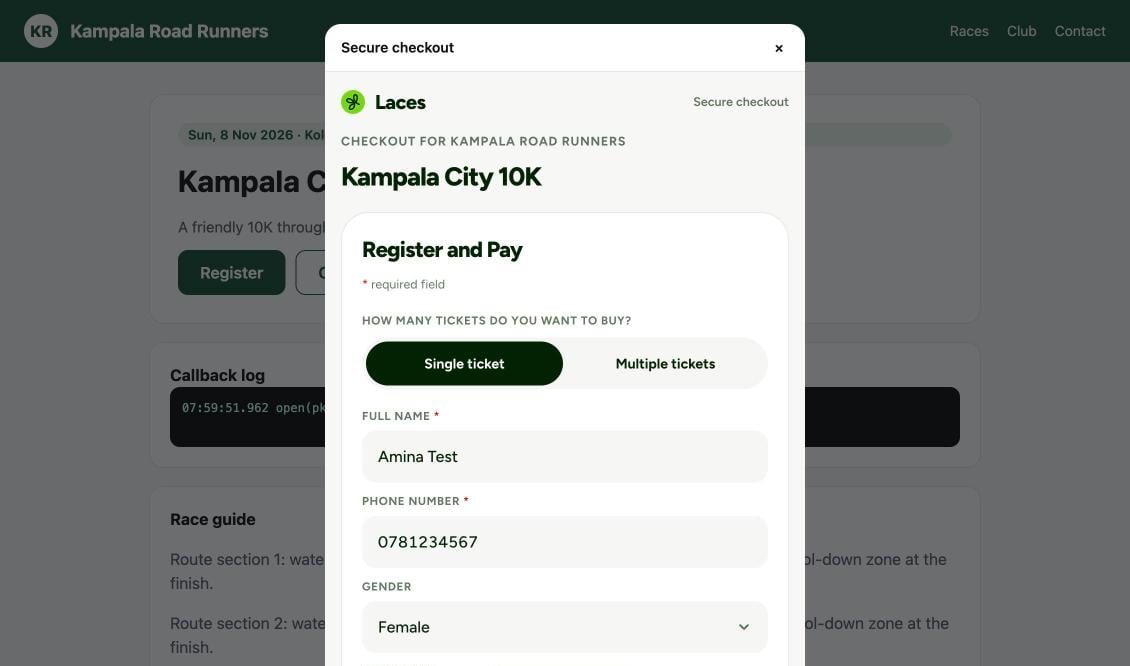
The checkout open in its modal over the partner's page (desktop). The example site and race are made up.
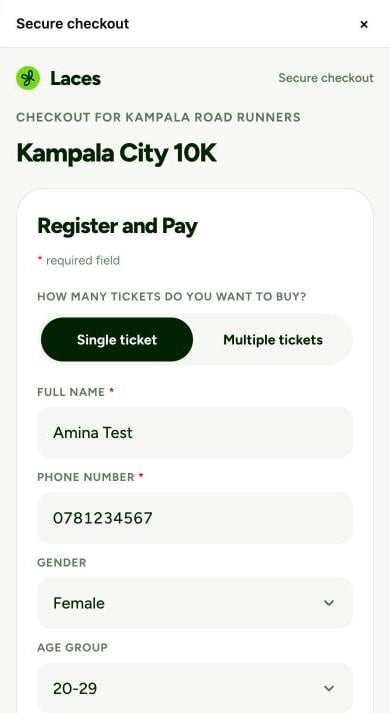
The same checkout on a 390 px wide phone screen.
Options
LacesCheckout.close() closes the open checkout from your own code (it fires
onClose). It does nothing if no checkout is open.
Callbacks
A callback that throws doesn’t break the modal; the error is re-thrown
asynchronously so it still shows in your console.
Creating the session on your server
To keep the publishable key off the page, or to setclient_reference_id
and prefill on the server, create an embedded session with a bearer
token and pass only its id to the page:
ui_mode: "embedded".embed_originis required with a bearer token: the exact origin of the page that will show the modal. It must be in Allowed domains, or you get400 invalid_embed_origin. With a publishable key it is ignored, and the request’s ownOriginis used.on_success_urlandon_cancel_urlare optional. If you send them, the return URL rules apply. (An empty string is not “omitted”: leave the field out instead.)- The session can be shown only inside a page on that one origin. Laces pins
the checkout’s
frame-ancestorsto it, so the same session in a frame on any other site is blocked by the browser. - Sessions expire after 24 hours. Create one per click.
3. Messages from the modal
The checkout talks to your page withpostMessage. laces.js turns these
into your callbacks, so most integrations never handle them directly.
- Laces always posts to your page’s exact origin (the session’s embed
origin), never
*. laces.jsonly accepts messages whoseevent.originis the Laces site it was loaded from and whose source is its own iframe.- An embedded success never redirects your page.
4. Verify on your server
onSuccess runs in the browser, which the buyer controls. Treat it as a cue to
ask your server, exactly like the hosted checkout return:
What the buyer sees
The buyer pays with mobile money (MTN or Airtel) today; card is coming soon. Inside the modal they see the total with every fee, enter their number, and approve the prompt on their phone.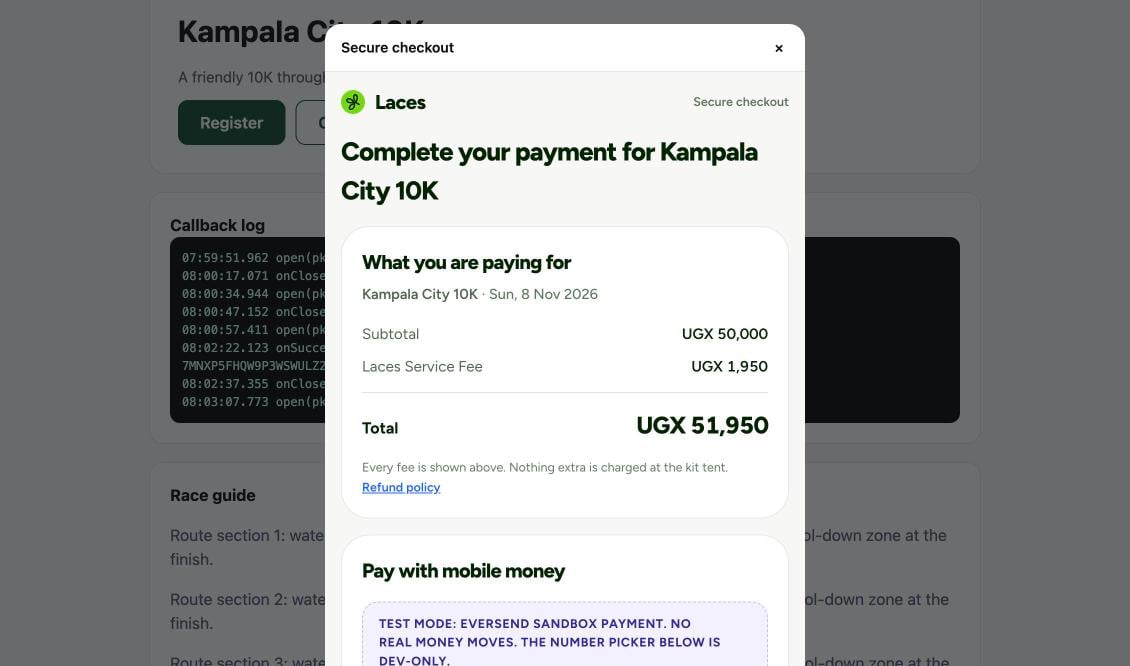
The payment step inside the modal. This screenshot was taken in test mode, which is why it shows a sandbox banner; live checkouts don't.
laces:success, so your onSuccess fires. The modal stays open until the
buyer taps Done or closes it.
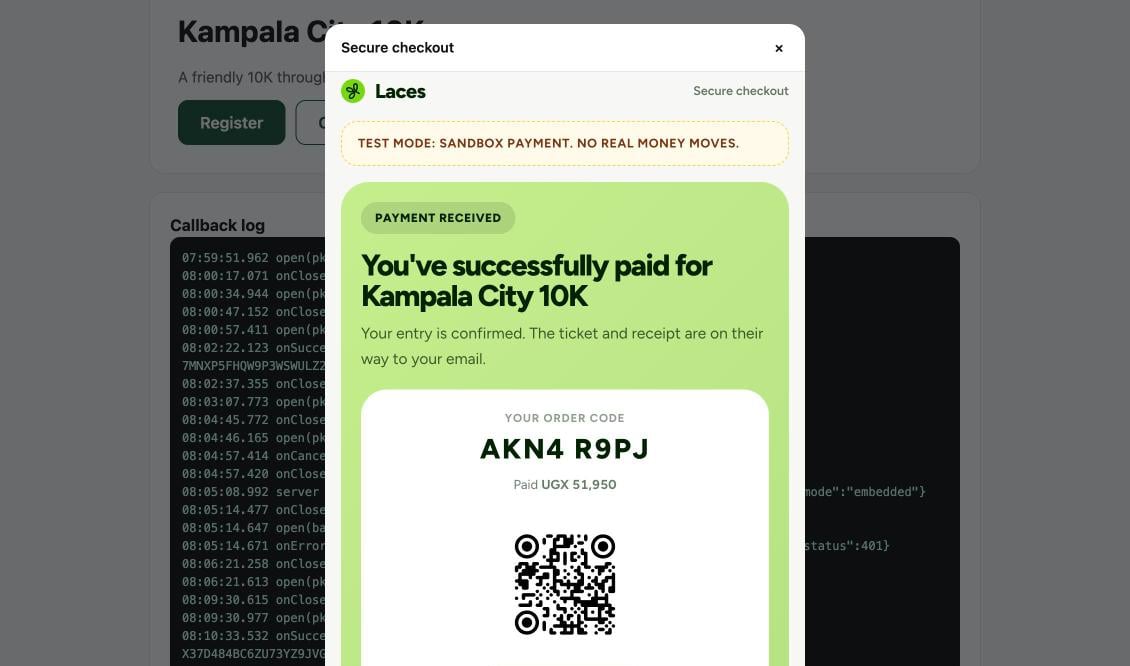
Payment received, inside the modal (test mode, hence the banner).
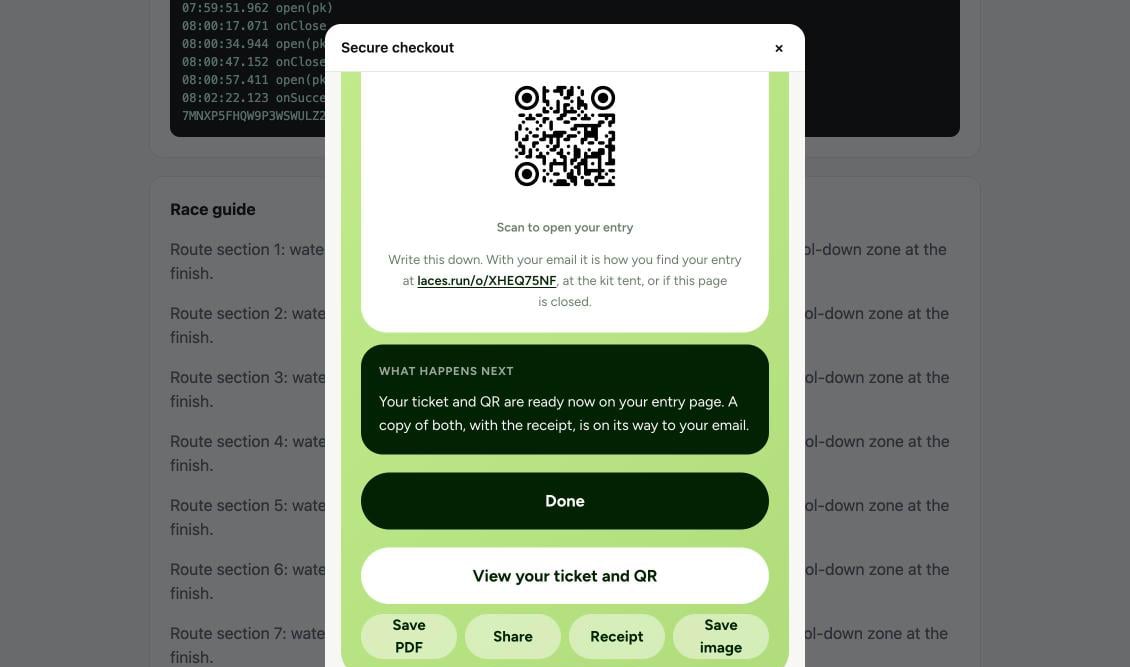
Further down the confirmation: the ticket links and the Done button, which closes the modal and fires onClose.
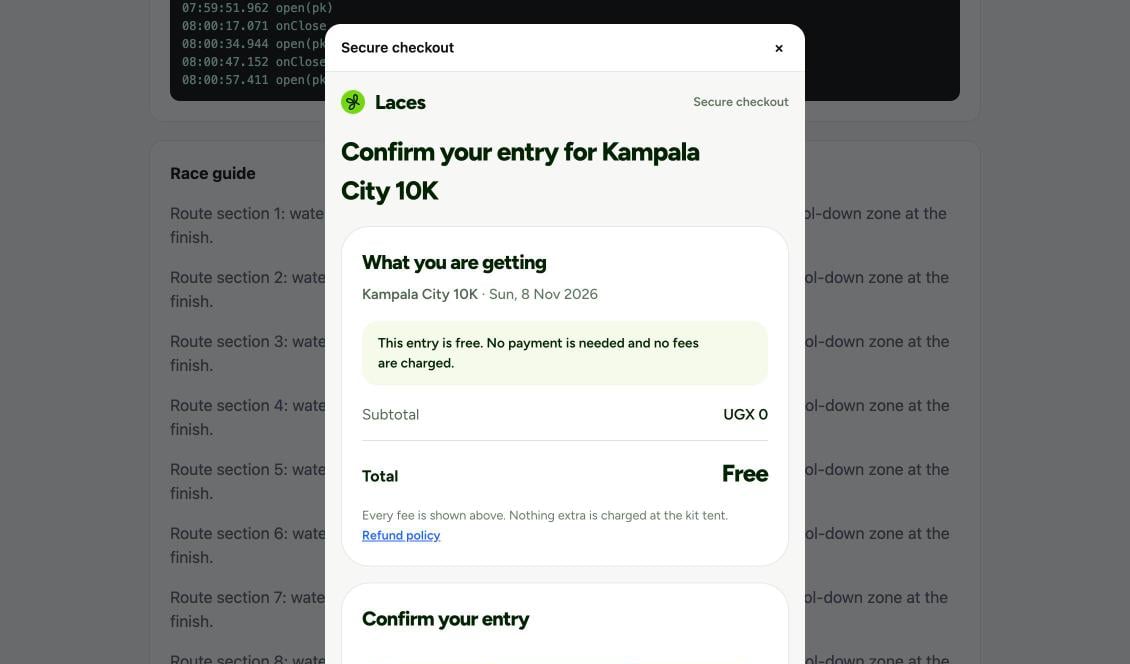
The confirm step for a free entry: no payment and no fees.
order.paid webhook fires either way, so fulfil from the webhook or a
server-side session read, never only from onSuccess.
When card is enabled. Card will open the card provider’s own secure
window inside the modal. If a browser won’t show that window inside a frame,
the buyer gets a “Continue in a new tab” link to the same order on
laces.run; the modal keeps watching the order, so
onSuccess still fires
when they pay in the tab.Content Security Policy
If your site sends aContent-Security-Policy, allow:
script-src https://laces.runloadslaces.js.frame-src https://laces.runlets the checkout iframe load (on older browsers,child-src).connect-src https://connect.laces.runletslaces.jscreate the session with your publishable key. Not needed if you only open server-created sessions withsessionId.
laces.js sets its styles through the DOM (style.cssText), so a strict
style-src without 'unsafe-inline' doesn’t break the overlay.
Accessibility and behaviour
- The overlay is a
role="dialog"witharia-modal, keeps keyboard focus inside it, and stops the page behind it from scrolling. When it closes, focus returns to the element that opened it. - On small screens it fills the viewport; on larger ones it is a centred panel.
- The iframe is not sandboxed and carries
allow="payment", which card payments need. - Embedded checkout doesn’t rely on third-party cookies, so it works in browsers that block them.
Local development
Your page must be on an origin in Allowed domains, and that includes your dev server. Add its exact origin, for examplehttp://localhost:3000 (or
http://127.0.0.1:3000), and the embedded checkout opens and completes there
with your live keys, end to end. The port is part of the origin, so
http://localhost:5173 needs its own entry. A domain you have just added can
take up to 5 minutes to pass the browser’s CORS check. See
Local development domains and
Testing your integration.
Errors
onError receives { error_code, message, status }. status is the HTTP
status, or 0 when there was no response. For problems found inside the
overlay, the modal shows message to the buyer and stays open until they
close it.
The API error codes are the same as for creating a checkout
session; see also Errors.
Troubleshooting
When the key or the page origin is wrong, the modal opens and shows the problem in place of the form, andonError fires with the matching code.
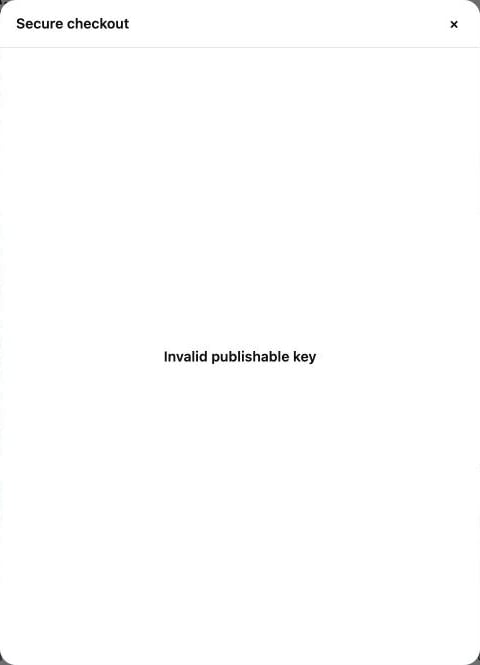
invalid_key: the publishable key is wrong, was replaced by Regenerate keys, or the key was revoked.
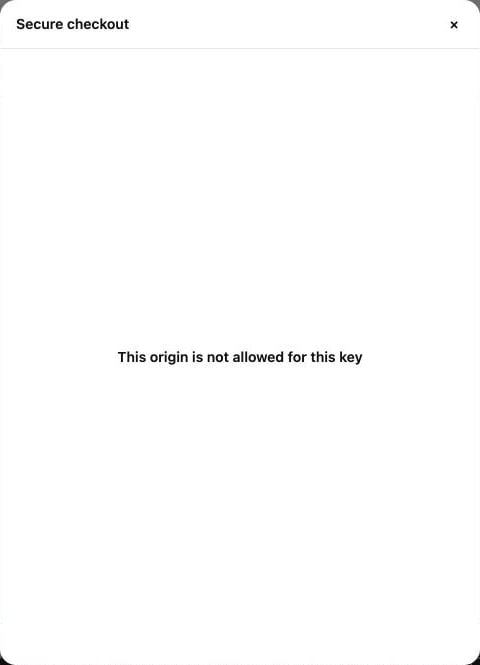
origin_not_allowed: this page's exact origin isn't in the key's Allowed domains.